Magic Loot Controls
Comfortable inputs for training marathons, boss attempts, and menu-heavy crafting on PC and touch.
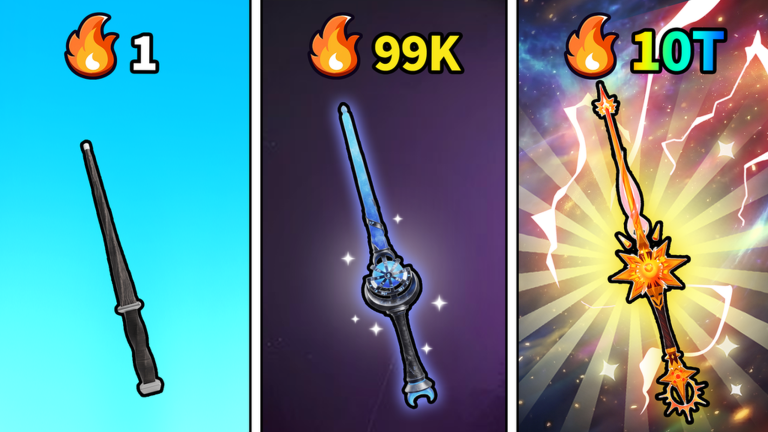
Magic Loot looks like a simple incremental until your wrist hurts from training marathons or your phone overheats during a boss attempt. Controls are not a glamour topic, but they determine whether you execute the loop—train magic, defeat bosses, collect rare loot, upgrade and rebirth, brew potions—without fighting the interface. This guide documents PC and mobile input habits for Roblox place 133188236593503, explains menu navigation for codes and crafting, and shares quality-of-life tips that survive Beta UI tweaks.
New players should read How to Play for loop order, then return here to configure devices before long sessions. Combat-heavy players crossing from Beat Bosses should verify camera and attack inputs before spending potions.
PC controls (keyboard and mouse)
Roblox PC defaults apply unless Magic Loot overrides them in a custom tutorial:
- Movement:
WASDto walk;Spaceto jump when platforms matter between train zones or boss arenas. - Camera: Hold right mouse button and drag to aim; scroll wheel zooms. Boss telegraphs often live at the edge of screen—zoom out slightly before pulls.
- Interact / Train / Attack: Left mouse click on highlighted objects, trainers, or bosses. Many incrementals use click-to-toggle train—click once to start, again to stop if the Beta supports toggle mode.
- Shift lock: Enable Roblox shift lock in the menu if you need stable camera during fights; helpful when arenas get crowded near 1.3k concurrent players.
- Menu / Settings:
Escopens Roblox system menu; in-experience Settings gear (upper-right) holds game options and code redemption—see How to Redeem Codes.
PC quality-of-life
Bind comfort first. Lower mouse sensitivity if you overshoot interactables; raise it if boss dodges feel sluggish.
Fullscreen versus windowed. Windowed helps alt-tab to Updates or wiki guides; fullscreen reduces accidental clicks outside the game.
Keyboard shortcuts for chat. Disable or move chat hotkeys if they interrupt training clicks during active grinds—social spam spikes on new Betas from Magic Magic +1 +1 +1.
Performance. Drop graphics if frame stutter makes timing boss mechanics impossible; read Review for device expectations.
Mobile controls (touch)
Roblox mobile uses a virtual stick and context buttons:
- Move: Left virtual thumbstick.
- Camera: Drag on empty screen space; pinch to zoom.
- Jump / Action: Context buttons appear near interactables—train stations, brew tables, boss portals.
- Attack / Train: Tap highlighted objects; some fights use a dedicated attack button when equipped.
Mobile quality-of-life
Use a stable grip. Training sessions are long; propping the phone reduces camera drift that cancels train ticks.
Reduce graphics and enable low latency mode in Roblox settings if supported—incrementals feel worse with input lag than with pretty shadows.
Avoid split-screen multitasking. Mobile RAM kills session stability; dedicate the screen to Magic Loot during potion windows from Brew Potions.
Headphones optional. Audio cues sometimes telegraph boss attacks when visual clutter hides telegraphs on small screens.
Redeem codes on mobile through the same Settings gear path as PC—type carefully; promo strings are case-sensitive when active (Codes).
Settings gear and important menus
The Settings gear upper-right is the hub for:
- Code redemption — No active codes July 2026, but this is the official path (Where Codes Drop explains announcements).
- Audio / UI toggles — Reduce VFX if particles obscure boss markers.
- Quality presets — Match device capability; training zones with many players tank FPS before bosses do.
Learn this menu early so patch-day rewards do not expire while you search forums.
Controls tied to progression systems
Training: Confirm you are clicking the correct zone trainer after teleporting—mis-clicks waste Train Magic Fast potions.
Bosses: Practice dodge direction on PC with WASD; on mobile, pre-position before telegraphed hits.
Inventory / loot: Quick compare saves mis-sells during Get Rare Loot cleanup—slow menus cause mistakes.
Crafting: Open brew stations when standing still; moving during menu transitions sometimes cancels crafts in Roblox experiences.
Rebirth: Read confirmation dialogs carefully—mis-taps on mobile have reset accounts in other incrementals; see How to Rebirth.
Cross-platform play
Accounts sync across PC and mobile Roblox clients. Short mobile bursts for daily training plus PC boss sessions is valid. After switching devices, re-check equipped loot and control sensitivity—muscle memory does not transfer perfectly.
Accessibility and ergonomics
Take breaks every 30–45 minutes during idle grinds. Incrementals reward attendance, not injury. If repetitive clicking hurts, alternate fingers or use toggle train when available. Roblox supports basic accessibility settings at the platform level—explore before blaming game difficulty.
What not to use
Auto-clickers and scripts marketed on Scripts pages violate Roblox terms and can cause moderation strikes. They also hide bad control habits that hurt you on new bosses after patches.
Third-party keyboard remappers may conflict with Roblox anti-cheat heuristics—stick to in-game and official Roblox bindings.
Related wiki pages
- How to Play — Loop overview after controls feel comfortable.
- Tier List — Build decisions once input is stable.
- Tools — Planners that assume you can execute routes reliably.
- Wiki Links — Rejoin official experience if controls feel wrong due to desync—relaunch place 133188236593503.
Beta UI changes
Menus move during incremental Betas. If a screenshot in an old video differs from your HUD, trust live UI and report persistent bugs through channels on Wiki. This guide prioritizes platform conventions and habits over pixel-perfect button maps that patches relocate.
Comfortable controls turn Magic Loot from a chore into a rhythm game you can play daily. Configure once, revisit after major Updates, and spend cognitive energy on bosses—not on mis-clicks.
Frequently Asked Questions
Quick answers drawn from the Magic Loot loop.
Where is the code redemption menu in Magic Loot?
Open the Settings gear in the upper-right corner of the experience. Enter active promo strings there; none are confirmed for July 2026.
How do I train magic on mobile?
Tap the highlighted training object or zone interactable. Confirm the train action started—toggle again if the Beta supports stopping auto-train.
Why do boss fights feel harder on mobile?
Smaller screen and camera drift hide telegraphs. Zoom out, enable shift lock on PC, or stabilize phone grip; reduce graphics if input lag spikes.
Can I play Magic Loot on PC and phone?
Yes—Roblox accounts sync. Re-check equipped gear and sensitivity when switching devices.