Magic Loot Tools
Checklists and planners built for the Train Magic, Boss, Loot, and Rebirth loop.
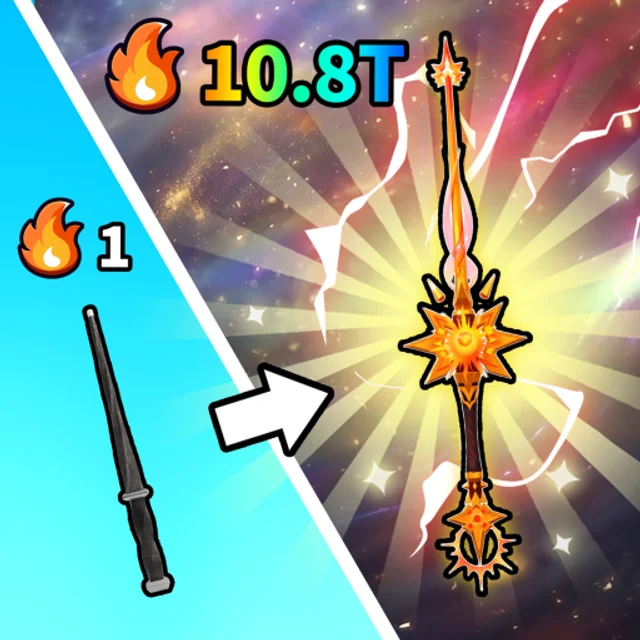
Magic Loot on Roblox is a Beta incremental built around Train Magic, Defeat Bosses, Collect Rare Loot, Upgrade & Rebirth, and Brew Potions. Progress feels fast when you know what to do next — and slow when you bounce between menus without a plan. This hub collects interactive tools that sit beside our written guides so you can make cleaner decisions between sessions.
Unlike static tier lists, these tools react to your current run. Use them after you read How to Play if you are new, or pair them with How to Rebirth when resets start to matter.
Tools on this hub
Progression Checklist
The progression checklist is a session tracker for repeatable Beta habits: open Settings once to locate the code Redeem box, finish a comfortable Train Magic loop, clear an early Boss, brew a Potion, spend one meaningful Upgrade, and only then think about Rebirth timing. Check items off as you play; reset when you start a fresh account or a new grind block.
It is especially useful when Magic Loot patches shuffle tutorial pacing. The checklist keeps your muscle memory aligned with the wiki even if UI labels move.
Rebirth Planner
Rebirth is the long-term engine in Magic Loot, but resetting too early wastes momentum and resetting too late stalls multiplier growth. The rebirth planner walks through three yes-or-no gates: cheap upgrades left on the table, comfortable boss farming for loot and potion materials, and a milestone you actually understand unlocking on the other side of the reset.
Treat it as a decision aid, not a law. Beta tuning can change rebirth payouts overnight — always confirm multipliers in-game before you commit.
Boss Prep Checklist
Boss fights burn potions when you pull unprepared. The boss prep checklist is a ten-step pre-pull routine plus after-fight cleanup—narrower than the progression checklist and separate from rebirth timing.
When to use which tool
| Situation | Start here |
|---|---|
| First hour on a new account | Progression Checklist after How to Play |
| Stuck before your first rebirth | Rebirth Planner plus How to Rebirth |
| Preparing a specific boss attempt | Boss Prep Checklist plus Beat Bosses |
| Returning after a patch | Checklist from step one; re-test boss comfort before planner answers |
| Optimizing potions and drops | Finish checklist, then cross-check Tier List rankings |
Short sessions benefit from the checklist alone. Longer grinds where you farm specific bosses for materials should run the planner before every reset.
How tools fit the rest of the wiki
Written guides explain why systems work. Tier lists rank what to prioritize. Item pages on Players document where drops and ingredients come from. Tools close the loop by helping you execute in real time without rereading six articles mid-fight.
Recommended cross-links while you play:
- Codes — Redeem through the Settings gear. No active codes are confirmed for July 2026, but the page updates the moment developers publish rewards.
- Tier List — Compare potion, loot, and early build rankings before you sink materials.
- Scripts — Safety context only; we do not list verified working scripts for Magic Loot.
- Review — Beta impressions if you are deciding whether the loop fits your play style.
- Wiki links — Official Roblox page and community channels for patch announcements.
Beta honesty
Magic Loot is in active Beta. Tool prompts describe stable loop verbs from the official experience page — train, boss, loot, upgrade, rebirth, potion — without inventing exact stat numbers or hidden formulas. If a hotfix changes rebirth thresholds or potion recipes, update your plan using Updates notes and re-run the tools with fresh in-game observations.
Screenshots on this hub use /images/magic-loot-gameplay.png and /images/magic-loot-icon.png so you can visually confirm you are on the current build before trusting checklist order.
Suggested workflow
- Launch Magic Loot from the link on Wiki.
- Open the progression checklist in a second tab or on your phone.
- When upgrade gains slow and bosses still feel comfortable, switch to the rebirth planner.
- After resetting, restart the checklist and skim Tier List for any post-patch shifts.
That rhythm keeps training, crafting, and resets aligned — the same cadence top accounts use even when exact numbers are still settling during Beta.
Frequently Asked Questions
Quick answers drawn from the Magic Loot loop.
Do Magic Loot tools store my account data?
No. Checklist and rebirth planner run in your browser session only. Nothing is sent to Roblox or this wiki.
Which tool should I use first?
New players should start with the progression checklist after reading How to Play. Use the rebirth planner once upgrades slow and you are considering a reset.
Will tools work after Beta patches?
Yes, but re-read Updates after major patches. Prompts focus on loop verbs, not fixed stats, yet boss difficulty and rebirth payouts can change your answers.
Can I use tools instead of guides?
Tools complement guides and tier lists—they do not replace them. Read How to Rebirth for mechanics, then use the planner to time your reset.